Redesigning Liverpool's Invoicing Portal: From 35 Minutes to 3 Minutes
A legally sensitive, high-traffic flow that averaged 35 minutes per session. The fix wasn't just the UI.
Liverpool's invoicing portal serves 184,000+ users per month — people who need to generate a legal fiscal receipt after a purchase. In Mexico, invoicing is a legally sensitive process: customers submit their RFC tax ID, fiscal regime, and personal data to receive a CFDI — a document with real legal and financial implications. Getting it wrong means calling support. Getting it very wrong means missing a tax deadline. When the redesign project landed on my plate, the portal averaged 35 minutes per session and required over 10 page navigations to complete a task that should take under 3.
−92%
Avg. session duration
35:10 → 2:56 min
−72%
Pages per visit
10.63 → 2.93 pages
184K+
Monthly users
High-traffic, legally sensitive
~37%
Bounce rate
Stable — not abandonment
A high-stakes, broken flow
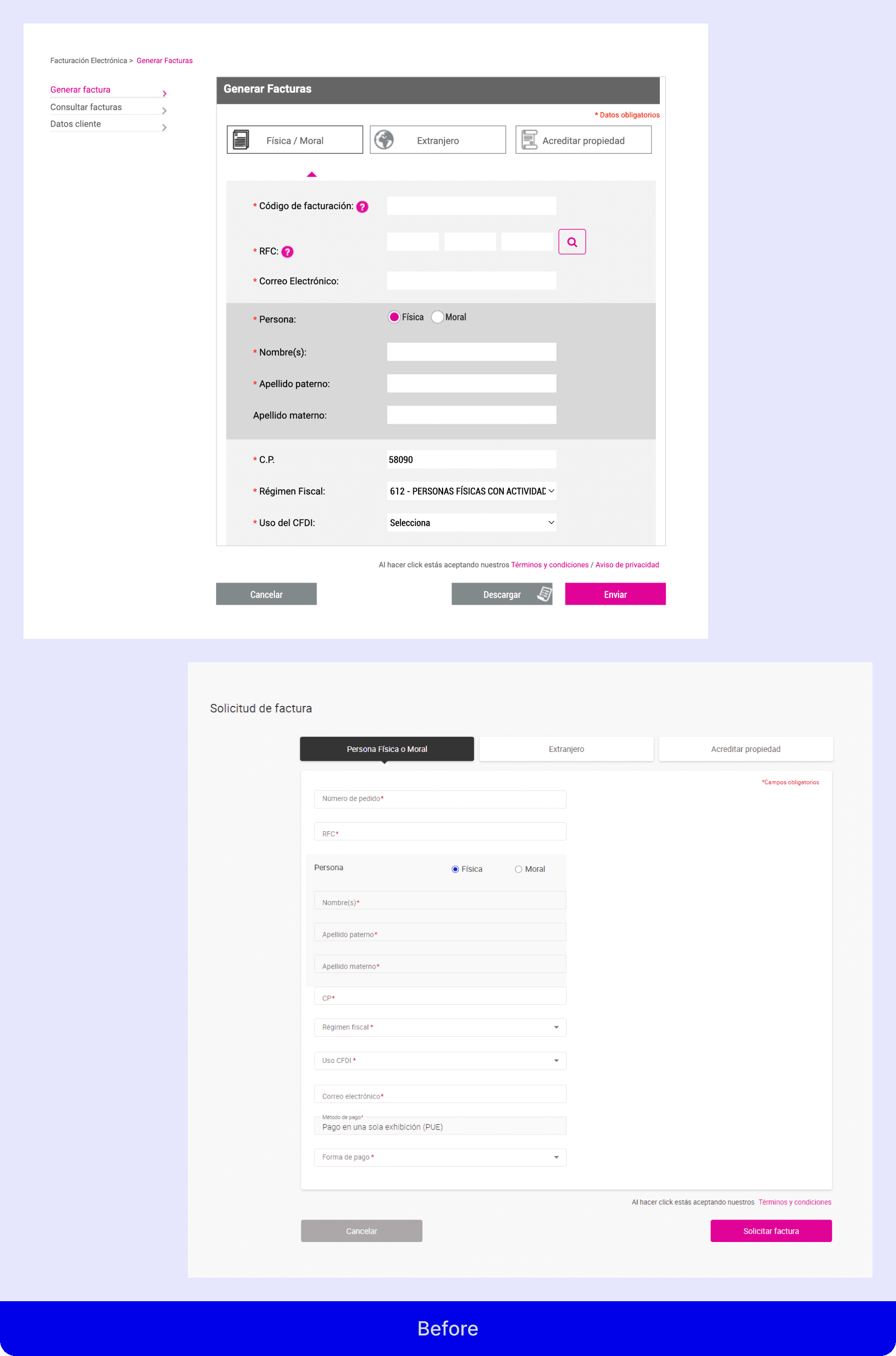
The invoicing portal existed as a separate subdomain from Liverpool's main e-commerce site — users would be routed there from their purchase history or by searching directly. What they found when they arrived was a fragmented experience: two separate portals depending on the type of purchase, inconsistent UI, poor error messaging, and no clear progress indicators.
A 35-minute average session on a form that should take 3 minutes is not a UX problem — it's a signal of structural failure. Users were navigating dead ends, retrying failed submissions without understanding why they failed, and in many cases giving up entirely.
Why invoicing is unusually complex
Most redesign briefs involve simplifying a flow. This one had an additional constraint: the process involves legally mandated fields (RFC, fiscal regime, CFDI use) that can't simply be removed. Every simplification had to work within Mexico's fiscal compliance requirements — which means the design problem was not "remove steps" but "make necessary complexity feel manageable." This distinction shaped every decision that followed.
Multi-method, multi-source
Before touching the design, I ran a research sprint combining four methods to understand the problem from different angles.
Heuristic evaluation
A Nielsen-based audit of the existing portal identified the most critical failure points immediately: no system feedback after invoice generation, a search icon that didn't behave like a button, tooltips that redirected users away from the portal entirely, and no email confirmation. These weren't edge cases — they were core flow failures that affected every user on every visit.
A/B usability testing — unmoderated, remote via Maze
I tested two redesigned proposals with 14 participants across devices (85.7% desktop, reflecting actual traffic patterns). The results gave a clear directional signal: Proposal 1 averaged 67.9 sec completion with 4.8/5 satisfaction but a 58.6% misclick rate. Proposal 2 averaged 86.2 sec with 4.5/5 satisfaction and a 28.2% misclick rate.
Proposal 1 was faster and better-rated, but the misclick analysis revealed a specific issue: the RFC search trigger was styled as an icon, not a button. That single affordance failure was responsible for the majority of misclicks — a fixable problem, not a structural one.
Contact center interview
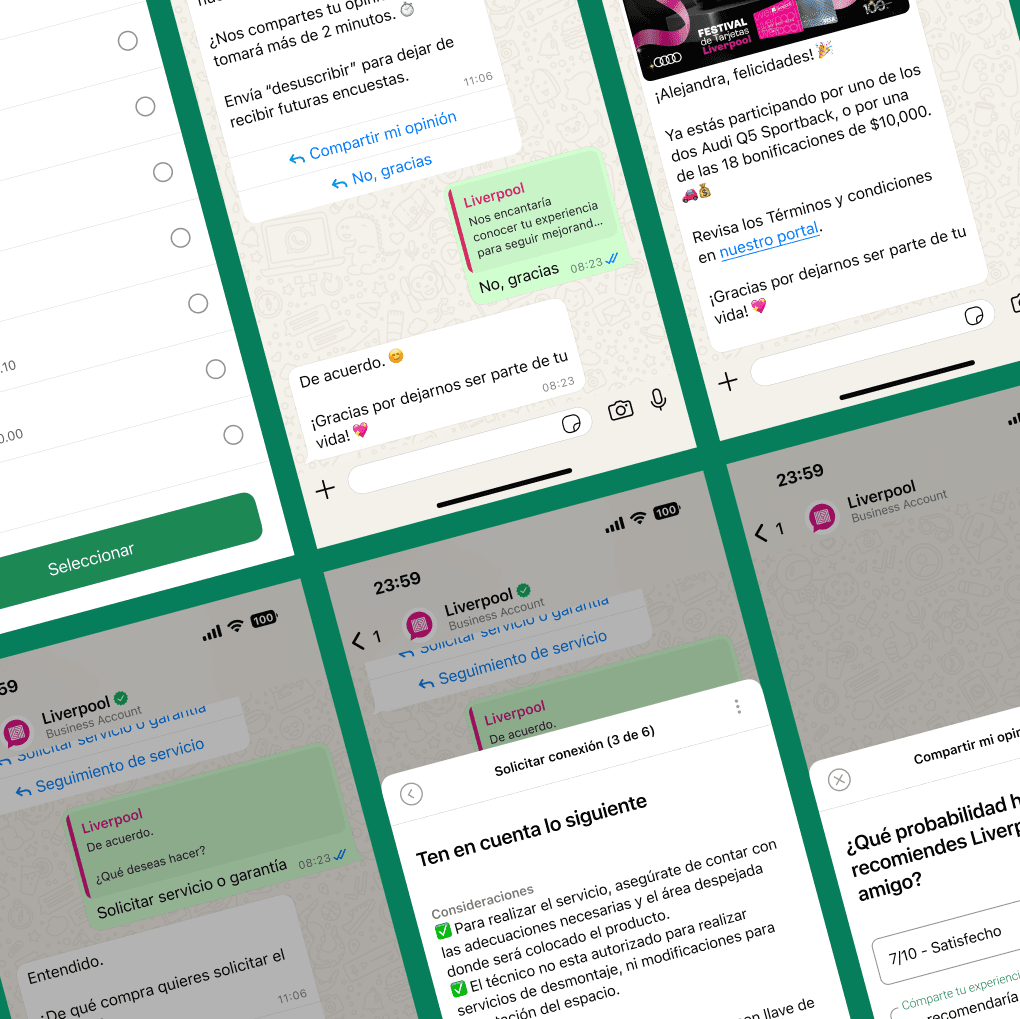
A direct interview with a contact center agent at Liverpool provided unfiltered insight into the most common failure scenarios: users who didn't understand the difference between fiscal person types, users who submitted wrong data and couldn't find a way to correct it, and users who never received their invoice by email and assumed the process had failed. Agents were absorbing the cost of every UX failure.
Competitive benchmarking
I evaluated five retail competitors — Costco, Sam's Club, Walmart, Palacio de Hierro, and Alsuper — across four dimensions: invoicing access location, number of required steps, help tools, and visual consistency. The conclusion was direct: Liverpool's portal was more visually modern than most competitors, but required significantly more steps and offered fewer help mechanisms.
Traffic analysis — SimilarWeb
50% of visits were direct (users knew where to go), but once they arrived, the behavior patterns were all wrong. An average of 10.63 pages per visit with a 35-minute session duration on a simple form pointed to one thing: users were getting lost and retrying, not browsing intentionally.
The decision nobody had mapped
The original project scope was clear: redesign the invoicing portal for internal merchandise purchases. What nobody had documented — or apparently noticed — was that Liverpool actually had two separate invoicing portals serving different purchase types, and that users were regularly landing on the wrong one.
A customer who bought from a Liverpool marketplace seller would arrive at the internal portal, enter their data, and get an error — with no explanation of why or where to go instead. The system knew. It just didn't tell them. When I mapped the full user journey, this fragmentation was the single largest source of confusion in the flow.
The pushback
When I brought the portal unification proposal to the development team, the response was resistance. The two portals ran on different backend systems, and the engineering coordinator argued that unifying them was out of scope, technically complex, and unnecessary — users could just be redirected.
My argument was that redirection is not a design solution. A user who has already entered their RFC and personal data, gets an error, and is then redirected to start over on a different portal has experienced a failure — regardless of whether the technical handoff worked. The burden of understanding Liverpool's internal architecture should not fall on the customer.
The discussion was not easy. But the argument held, the product lead supported the unification, and the decision was made to build a single unified portal. This was not in the original brief. It was identified through research, argued through reasoning, and implemented despite organizational resistance. It is also almost certainly the single biggest driver of the post-launch results.
Reducing cognitive load in a legally complex flow
With the structural decision made, the design work focused on four areas.
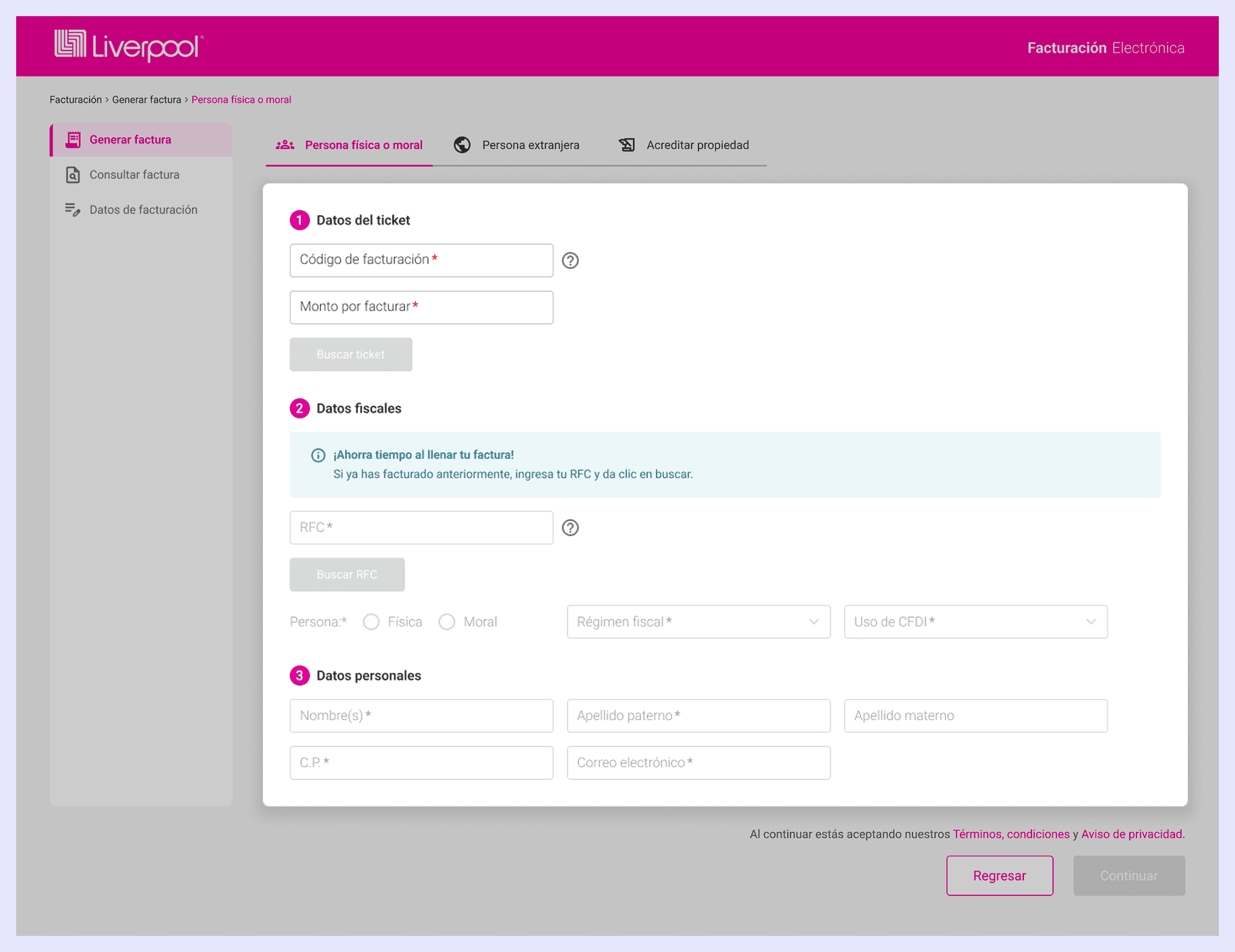
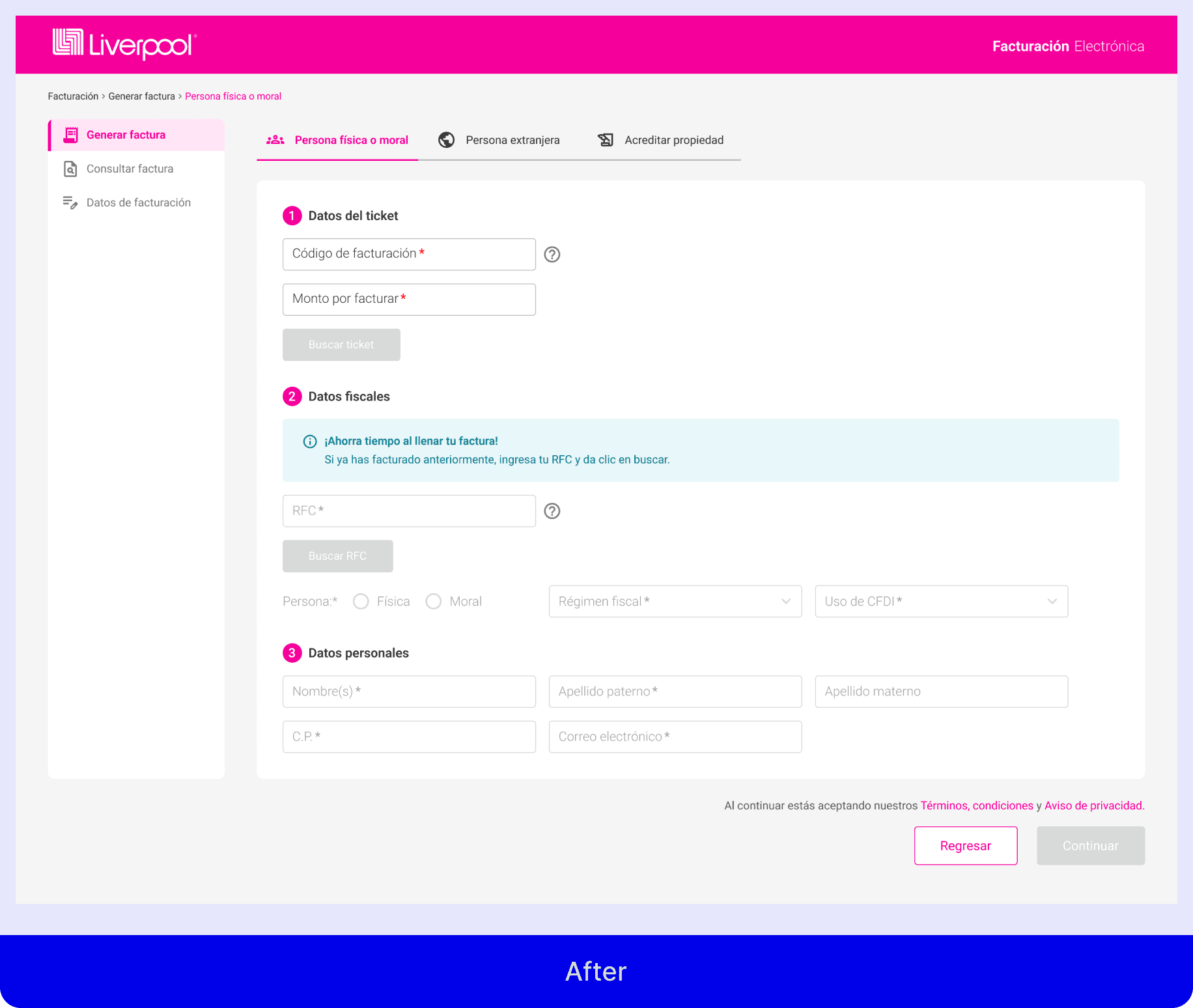
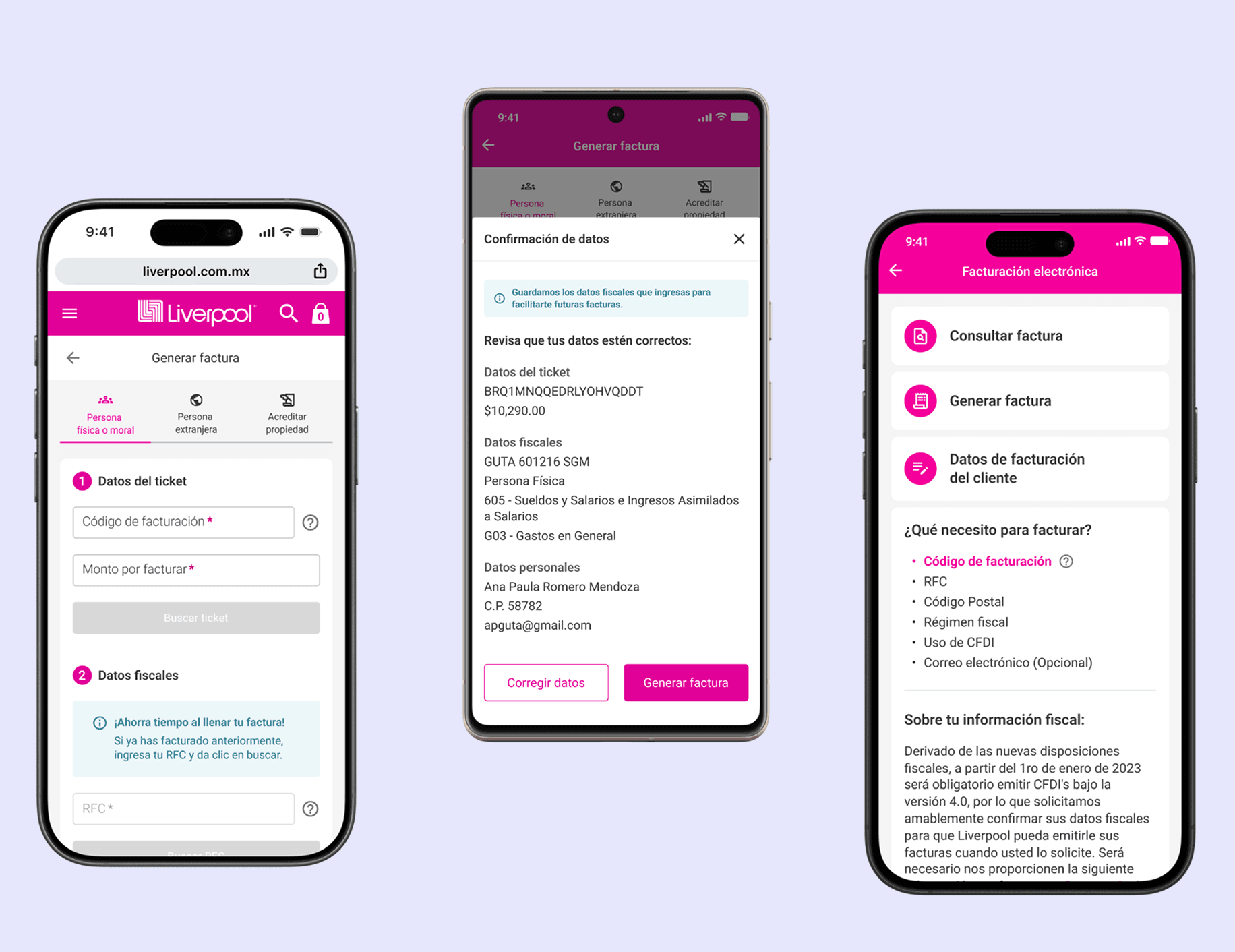
Unified single-form experience
One portal, one flow, one entry point. Users enter their invoicing code — regardless of which type — and the system handles classification silently. No decision required from the user upfront about portal type or merchandise category.
Progressive disclosure for fiscal fields
Mexico's fiscal data requirements are mandatory but confusing for many users. Rather than displaying all fields simultaneously, the redesign introduced a sequential reveal: ticket data first, fiscal identification second, personal data third. Each section is digestible on its own. The complexity is the same; the cognitive load is distributed.
Actionable error states and system feedback
The heuristic audit had identified the absence of feedback as a core failure. The redesign introduced clear confirmation of invoice generation, explicit error messages tied to specific fields with recovery instructions, and email confirmation as a default — not an option. Users needed to know the system had heard them.
RFC field interaction fix
The misclick analysis from the A/B test pointed directly at the RFC search trigger. The icon was redesigned as a clearly interactive button with an explicit label, eliminating the affordance ambiguity that had generated the majority of misclicks in testing.
Impact
The results measured via SimilarWeb approximately one year post-launch show a fundamental change in how users interact with the portal.
Average session duration dropped from 35:10 to 2:56 — a 92% reduction. Pages per visit dropped from 10.63 to 2.93 — a 72% reduction. Bounce rate remained stable at ~37–38%, confirming that the reduction in session time reflects task completion, not earlier abandonment.
A 92% reduction in session time on a legally sensitive, high-volume flow is not a UX metric — it's a business metric. Every minute saved across 184,000 monthly users is a direct reduction in friction, support load, and user frustration.
What the numbers don't capture
The unification of the two portals eliminated an entire category of user error that was previously invisible in the data — users who failed silently and never returned. There's no metric for the person who gave up, called support, or simply didn't invoice their purchase. The portal unification addressed a problem that hadn't been measured, which makes it both the hardest decision to argue for and the one with the deepest impact.
What this project taught me
The most valuable design decision in this project wasn't in the original brief. It came from looking at the problem at a system level rather than accepting the scope as defined. A designer who only redesigns what they're asked to redesign will produce better screens. A designer who questions whether the screens are the right problem will occasionally produce something that actually changes the outcome.
The resistance from the development team was real, and it required sustained argument over multiple conversations. What made the argument winnable was that it was grounded in user behavior data, not design preference — and that the counterargument had a clear and measurable human cost.
Research doesn't just answer the questions you ask. If you're paying attention, it also shows you the questions you should have asked.
Traffic metrics sourced from SimilarWeb (Jan 2025 pre-launch baseline vs. Mar 2026 post-launch). Usability testing conducted via Maze with 14 participants. Competitive benchmarking conducted across 5 Mexican retail portals.